Updated: March 20, 2026
Written By Florena Davies of Organize By Flo as part of our Organizing Blog Collab.
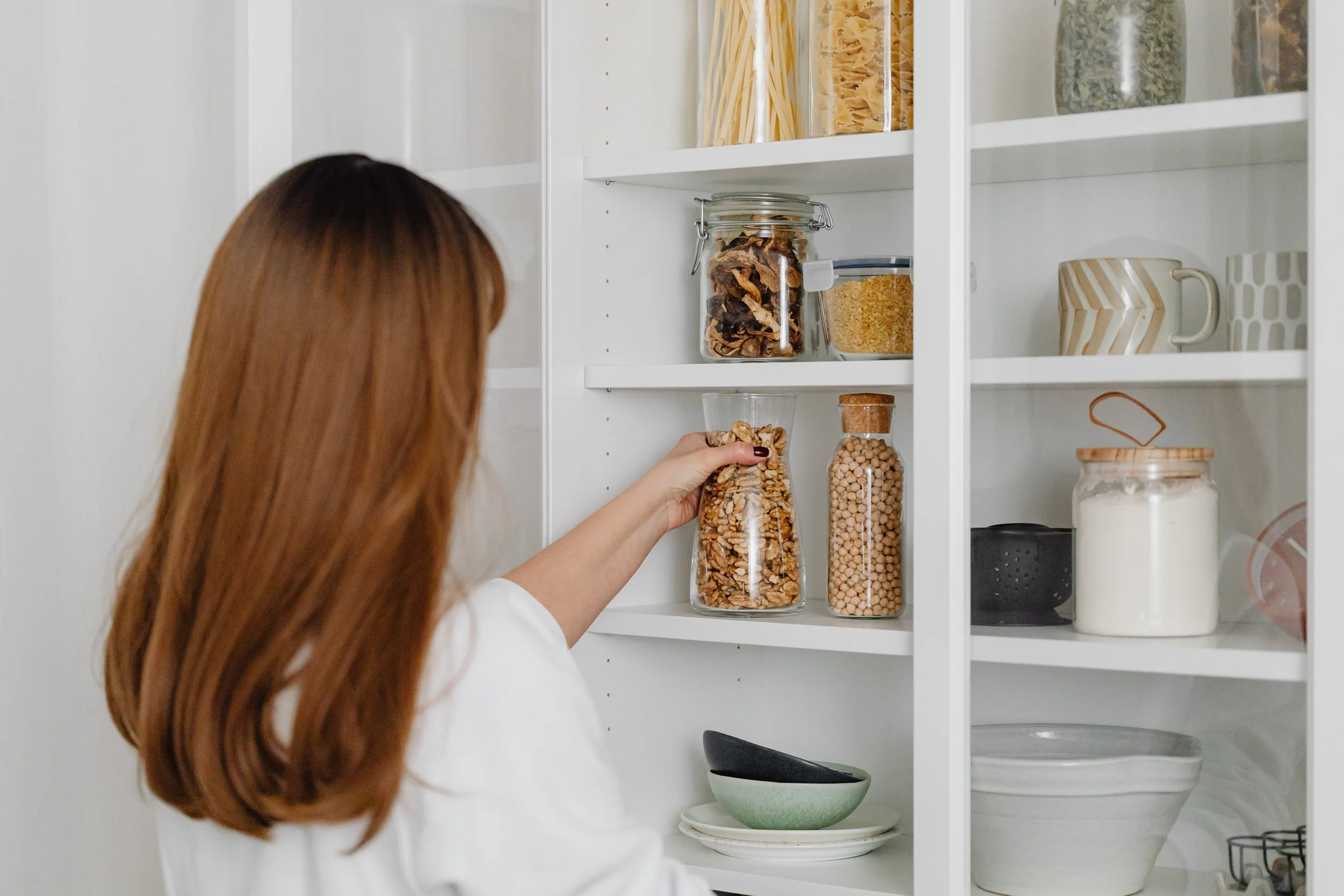
Are you feeling the spring fever starting now that the weather is getting better? I sure am feeling it and most certainly enjoying every minute of the nice weather. While a lot of us get in the mode to start their clean up and tidying, it leads to the question, where would we begin? Such a great question! A lot of us start a project and part way through get overwhelmed and quit, leaving a huge mess. So, lets talk about where we start and how to not get overwhelmed and give up.
Starting Small is huge. If you decide to haul everything out of your kitchen cupboards and off the surfaces you are going to be in for so many hours of work, instead pick a smaller area, something that is manageable and wont exhaust you.
After you have picked one surface or cupboard, it is time to take everything off or out. Find a table or area that is clean on the floor to put all the items from that surface or cupboard. Next, look through every item and ask yourself, do you still love it? Is it expired? Is it broken? All these questions help you decide weather or not you throw it in the trash, keep it or donate it. Now we will put all like items together. It is good for the space to have rows or containers of the same items. If it’s a closet you would put all sweaters, dresses, etc… together.
As a general rule, before putting back the items you have chosen to keep, wipe down all the surfaces with a cloth. There is nothing worse then putting all your desired possessions on a dirty surface. This small task helps keep your home clean and fresh.


If You’re tidying up your outdoor spaces and supplies, we recommend you grab a wall mount organizer from your local Home depot or Canadian Tire. You can then hang all your rakes, shovels, brooms etc… all together. keeps them all looking organized and you know what you have and exactly where you have it. Sweep out your garage, driveway, shed area and wipe the surfaces you have. If you need to, take a high duster and get those corners as well. It is important to take care of all the spaces we have and keep them fresh and clean.
For the actual cleaning process start from above. High dusting comes first, then the dusting and washing of all windows and then Surfaces. As Good housekeeping homes states In this article “keep Surfaces as clear as possible so cleaning is quick, straight-forward and more likely to get done”. Don’t forget to wash all the fronts of your cupboards, Light plates and doorknobs. Reminder: Its important to dust your baseboards prior to washing your floors which should be the las on your cleaning list.
Now, how did that feel? If that didn’t tire you out, you can move on to another area of your home and follow the same steps. If you are done, good job! Its ok to do one small space each day or each weekend, but at least you started!! Don’t forget to take your donations to the donation depot or food to the food bank.
Happy Organizing!
Sustainable Lifestyle Solutions, founded by Marybeth Welty, helps women entrepreneurs design beautiful, high-performance home offices and build the streamlined business systems they need to grow their income and work from anywhere. Based in Coal Harbour, Vancouver BC, Marybeth works with clients in-person locally and with women entrepreneurs worldwide through the Freedom Business Society — a membership community for women who want time freedom, financial freedom, and location freedom. Ready to transform your space and your business? Book a free discovery call or explore the Freedom Business Society.
Authors:
Florena Davies is a Professional Organizer and Owner of Organize by Flo. She uses her experience as a wife and mother of 2 to create real life organizational systems and changes for work and home that allow our 2 worlds to co-exist and ‘Flo” together. Check out her website at https://www.organizebyflo.com/ and on Instagram @organizebyflo.
Melanie McConnell is a Professional Organizer and the owner of Mello Spaces. She helps busy professionals and parents get the organized home of their dreams. Check out her website www.mellospaces.com and follow her on Instagram: @mellospaces
Marybeth Welty helps women entrepreneurs design high-performance home offices, build streamlined business systems, and create the organized foundation they need to grow their income and work from anywhere in the world. As an interior designer, professional organizer, and business systems strategist with over 15 years of experience, Marybeth combines beautiful space design with practical digital systems to help women achieve time freedom, financial freedom, and location freedom. Connect with her at www.sustainablelifestylesolutions.com and on Instagram at @womenentrepreneurswhotravel.